
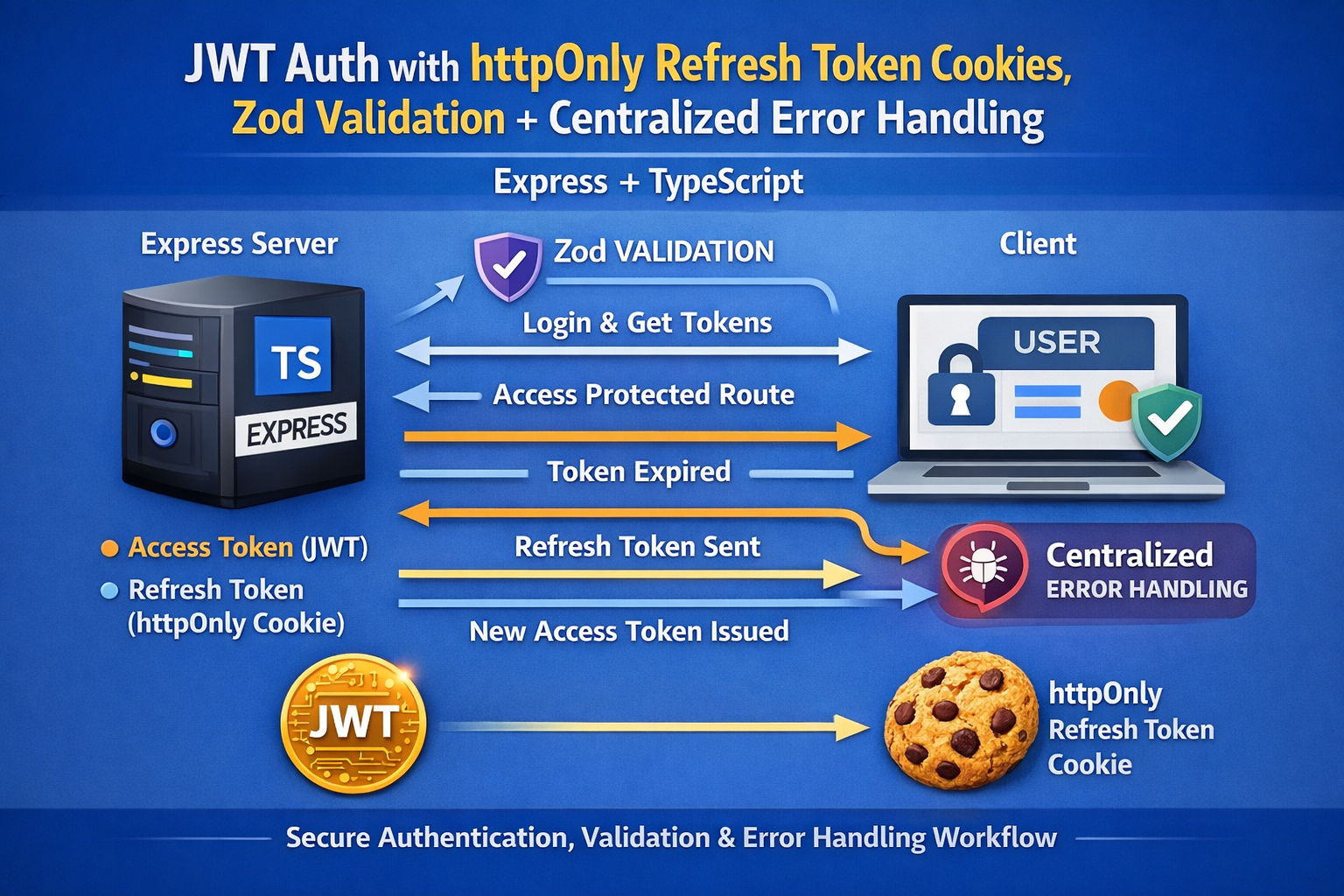
Let’s do it: Zod validation + centralized error handling.
This is one of the biggest upgrades you can make because it:
- stops bad input at the door
- keeps controllers clean
- produces consistent, readable error responses
- makes your API easier to consume and debug
Below is a complete, blog-style walkthrough with copy-paste code.
Add Zod Validation + Centralized Error Handling (Express + TypeScript)
If your API accepts user input (it does), you need a validation layer. Otherwise you’ll eventually ship endpoints that:
- crash on missing fields
- accept malformed emails
- accept weak passwords by accident
- return inconsistent errors across routes
We’ll fix all that with:
- Zod for schema validation
- a validate middleware
- an async handler wrapper
- a global error handler
- consistent error responses
Step 1: Install Zod
npm install zod
Step 2: Add a Clean Error Format
We’ll standardize errors so the frontend always receives something predictable.
Example response:
{
  "error": {
    "message": "Validation failed",
    "details": [
      { "path": "email", "message": "Invalid email address" }
    ]
  }
}
Step 3: Create an AppError Class
Create src/utils/AppError.ts:
export class AppError extends Error {
  statusCode: number;
  isOperational: boolean;

  constructor(message: string, statusCode = 500) {
    super(message);
    this.statusCode = statusCode;
    this.isOperational = true;
  }
}
This helps distinguish expected errors (validation/auth) from unexpected ones (bugs).
Step 4: Add an Async Wrapper (Avoid Try/Catch Everywhere)
Create src/utils/asyncHandler.ts:
import { Request, Response, NextFunction } from "express";

export const asyncHandler =
  (fn: (req: Request, res: Response, next: NextFunction) => Promise<any>) =>
  (req: Request, res: Response, next: NextFunction) => {
    Promise.resolve(fn(req, res, next)).catch(next);
  };
Now your controllers can be async without repetitive try/catch.
Step 5: Create a Validate Middleware Using Zod
Create src/middleware/validate.ts:
import { AnyZodObject } from "zod";
import { Request, Response, NextFunction } from "express";

export const validate =
  (schema: AnyZodObject) =>
  (req: Request, _res: Response, next: NextFunction) => {
    schema.parse({
      body: req.body,
      params: req.params,
      query: req.query
    });

    next();
  };
If validation fails, Zod throws. We’ll handle that globally.
Step 6: Define Validation Schemas
Create src/validation/authSchemas.ts:
import { z } from "zod";

export const registerSchema = z.object({
  body: z.object({
    name: z.string().min(2, "Name must be at least 2 characters"),
    email: z.string().email("Invalid email address"),
    password: z
      .string()
      .min(8, "Password must be at least 8 characters")
      .max(72, "Password too long")
  })
});

export const loginSchema = z.object({
  body: z.object({
    email: z.string().email("Invalid email address"),
    password: z.string().min(1, "Password is required")
  })
});
You can expand these later (password strength, allowed domains, etc.).
Step 7: Add a Global Error Handler
Create src/middleware/errorHandler.ts:
import { Request, Response, NextFunction } from "express";
import { ZodError } from "zod";
import { AppError } from "../utils/AppError";

export const errorHandler = (
  err: any,
  _req: Request,
  res: Response,
  _next: NextFunction
) => {
  // Zod validation errors
  if (err instanceof ZodError) {
    return res.status(400).json({
      error: {
        message: "Validation failed",
        details: err.issues.map((issue) => ({
          path: issue.path.join("."),
          message: issue.message
        }))
      }
    });
  }

  // Known operational errors
  if (err instanceof AppError) {
    return res.status(err.statusCode).json({
      error: { message: err.message }
    });
  }

  // Unknown/unhandled errors
  console.error(err);

  return res.status(500).json({
    error: { message: "Internal server error" }
  });
};
Step 8: Update Controllers to Use AppError + asyncHandler
Update src/controllers/authController.ts (showing the pattern):
import { Request, Response } from "express";
import bcrypt from "bcryptjs";
import User from "../models/User";
import { signAccessToken, signRefreshToken } from "../utils/tokens";
import { setRefreshCookie } from "../utils/cookies";
import { AppError } from "../utils/AppError";
import { asyncHandler } from "../utils/asyncHandler";

export const registerUser = asyncHandler(async (req: Request, res: Response) => {
  const { name, email, password } = req.body;

  const existing = await User.findOne({ email });
  if (existing) throw new AppError("User already exists", 400);

  const hashedPassword = await bcrypt.hash(password, 10);
  const user = await User.create({ name, email, password: hashedPassword });

  const accessToken = signAccessToken(user._id.toString());
  const refreshToken = signRefreshToken(user._id.toString());

  user.refreshTokenHash = await bcrypt.hash(refreshToken, 10);
  await user.save();

  setRefreshCookie(res, refreshToken);

  res.status(201).json({ accessToken });
});

export const loginUser = asyncHandler(async (req: Request, res: Response) => {
  const { email, password } = req.body;

  const user = await User.findOne({ email });
  if (!user) throw new AppError("Invalid credentials", 401);

  const match = await bcrypt.compare(password, user.password);
  if (!match) throw new AppError("Invalid credentials", 401);

  const accessToken = signAccessToken(user._id.toString());
  const refreshToken = signRefreshToken(user._id.toString());

  user.refreshTokenHash = await bcrypt.hash(refreshToken, 10);
  await user.save();

  setRefreshCookie(res, refreshToken);

  res.json({ accessToken });
});
Now controllers are:
- short
- readable
- consistent
Step 9: Apply Validation Middleware in Routes
Update src/routes/authRoutes.ts:
import { Router } from "express";
import { registerUser, loginUser, refreshAccessToken, logoutUser } from "../controllers/authController";
import { validate } from "../middleware/validate";
import { registerSchema, loginSchema } from "../validation/authSchemas";

const router = Router();

router.post("/register", validate(registerSchema), registerUser);
router.post("/login", validate(loginSchema), loginUser);

router.post("/refresh", refreshAccessToken);
router.post("/logout", logoutUser);

export default router;
You can add Zod schemas for refresh/logout too if you want, but cookie-based refresh often needs minimal body validation.
Step 10: Plug the Error Handler into the App
Update src/server.ts:
// after routes
import { errorHandler } from "./middleware/errorHandler";

// ... routes above ...
app.use("/api/auth", authRoutes);

// global error handler LAST
app.use(errorHandler);
Express only hits the error handler if it’s registered after your routes.
What You Get Now
With these changes, your API:
✅ Rejects invalid payloads consistently
✅ Returns readable errors your frontend can display
✅ Has cleaner controllers
✅ Is easier to maintain as endpoints grow
This is the pattern used in a lot of real Express backends.
Next “Next” (best upgrade after validation)
If you say next, I’ll add:
Rate limiting + brute-force protection
- limit
/loginattempts per IP - slow down repeated failures
- prevent credential stuffing
- add security headers (Helmet)
Want to continue?

