
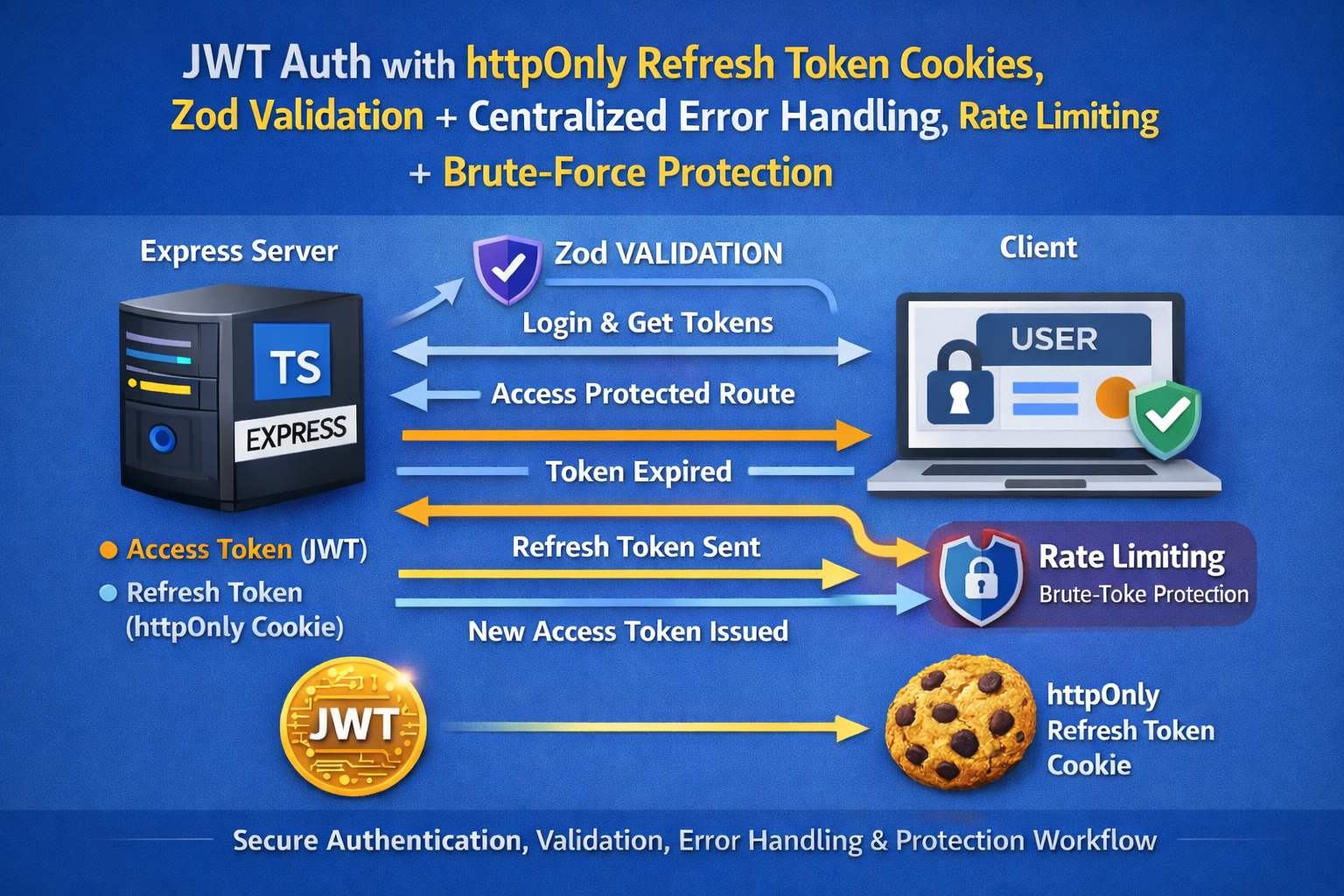
Cool — next up: rate limiting + brute-force protection (plus a few small security hardening wins).
We’ll add:
- Rate limiting for
/loginand/refresh - Slowdown to make repeated attempts painful (without blocking legit users too aggressively)
- Helmet for sensible security headers
- A clean, reusable middleware setup
Add Rate Limiting + Brute-Force Protection (Express + TypeScript)
Why this matters
Auth endpoints are the #1 target for:
- credential stuffing (reused passwords)
- brute-force attacks
- token refresh abuse
Even a basic protection layer reduces noise and risk a lot.
Step 1: Install packages
npm install helmet express-rate-limit express-slow-down
npm install -D @types/express-slow-down
Notes:
express-rate-limitblocks or rejects after a thresholdexpress-slow-downintentionally delays responses after a threshold
Step 2: Add Helmet globally
Update src/server.ts:
import helmet from "helmet";

// ...
app.use(helmet());
That’s it. Helmet sets a bunch of common security-related headers.
If you serve no HTML at all (API-only), this is almost always safe.
Step 3: Create reusable rate limiters
Create src/middleware/rateLimiters.ts:
import rateLimit from "express-rate-limit";
import slowDown from "express-slow-down";

/**
 * General API limiter (optional):
 * helps stop basic flooding across your whole API.
 */
export const apiLimiter = rateLimit({
  windowMs: 15 * 60 * 1000, // 15 minutes
  limit: 300,               // 300 requests per 15 min per IP
  standardHeaders: "draft-7",
  legacyHeaders: false,
  message: {
    error: { message: "Too many requests, please try again later." }
  }
});

/**
 * Auth: login limiter (strict)
 */
export const loginLimiter = rateLimit({
  windowMs: 15 * 60 * 1000, // 15 minutes
  limit: 10,                // 10 attempts per 15 min per IP
  standardHeaders: "draft-7",
  legacyHeaders: false,
  message: {
    error: { message: "Too many login attempts. Try again in 15 minutes." }
  }
});

/**
 * Auth: login slowdown (soft pressure)
 * After 5 attempts, add delay that increases per request.
 */
export const loginSlowdown = slowDown({
  windowMs: 15 * 60 * 1000, // 15 minutes
  delayAfter: 5,            // allow 5 requests at full speed
  delayMs: (hits) => (hits - 5) * 500, // +500ms each request after 5
  maxDelayMs: 10_000        // cap delay at 10 seconds
});

/**
 * Auth: refresh limiter (moderate)
 * Refresh can be abused; keep it tighter than general API.
 */
export const refreshLimiter = rateLimit({
  windowMs: 15 * 60 * 1000,
  limit: 30, // 30 refreshes per 15 min per IP
  standardHeaders: "draft-7",
  legacyHeaders: false,
  message: {
    error: { message: "Too many refresh attempts. Please slow down." }
  }
});
These numbers are sane defaults for many apps. You can tune them later.
Step 4: Apply limiters to routes
Update src/routes/authRoutes.ts:
import { Router } from "express";
import {
  registerUser,
  loginUser,
  refreshAccessToken,
  logoutUser
} from "../controllers/authController";

import { validate } from "../middleware/validate";
import { registerSchema, loginSchema } from "../validation/authSchemas";

import {
  loginLimiter,
  loginSlowdown,
  refreshLimiter
} from "../middleware/rateLimiters";

const router = Router();

router.post("/register", validate(registerSchema), registerUser);

// slowdown first, then limiter
router.post("/login", loginSlowdown, loginLimiter, validate(loginSchema), loginUser);

router.post("/refresh", refreshLimiter, refreshAccessToken);
router.post("/logout", logoutUser);

export default router;
Why slowdown before limiter?
- slowdown makes automated attacks expensive immediately
- limiter stops it hard once it crosses the line
Step 5: (Optional but recommended) Add a global API limiter
If you have more endpoints beyond auth, apply a broad limiter once in server.ts:
import { apiLimiter } from "./middleware/rateLimiters";

// after JSON/cors/cookie middleware
app.use(apiLimiter);
If your API includes uploads, streaming, or other high-frequency endpoints, you might prefer route-specific limiters instead.
Step 6: Make brute forcing less “informative”
You already did part of this by returning “Invalid credentials” for both wrong email and wrong password.
Two other good moves:
A) Keep login response time similar
Don’t fail instantly for “email not found” while hashing for real users. Attackers can time that.
A simple approach is to always run a bcrypt compare, even if the user doesn’t exist:
// inside login controller
const fakeHash = "$2a$10$7EqJtq98hPqEX7fNZaFWoOhi5o0qH5o2l9n8eC5gqEwO8yqZCqZ9W"; // any valid bcrypt hash

const user = await User.findOne({ email });
const hashToCheck = user?.password ?? fakeHash;

const match = await bcrypt.compare(password, hashToCheck);
if (!user || !match) throw new AppError("Invalid credentials", 401);
This makes enumeration harder (not perfect, but better).
B) Log suspicious activity
At minimum: log IP + endpoint + user agent for rate-limited events (or use a real logger like Winston later).
Important production note: memory store vs shared store
By default, express-rate-limit stores counts in memory. That’s fine for:
- a single server
- local dev
- small deployments
If you run multiple instances (horizontal scaling), you want a shared store (commonly Redis) so limits apply across all servers.
You can keep the blog simple now, and later add “rate limit with Redis store” as a next step.
Quick test you can do
Hit login repeatedly (wrong password):
- first ~5 requests: normal speed
- after that: each attempt gets slower
- eventually: you get a 429 response
That’s exactly what you want.
Next step if you say “next” again
The best next upgrade after this is:
RBAC: Roles + Permissions
user,admin,support, etc.- protect routes based on role
- keep authorization logic clean and testable
Say next and I’ll build RBAC the same way: clean middleware + typed user context + example protected endpoints.

